# Set Up Datastreams
## **Add Datastream**
For the goal of this tutorial skip the Metadata Tab and go directly to Datastreams tab in your Template.
Datastreams are channels that are used to send data between the device and Blynk.Cloud. We will be using this Datastream to send random values from your device.
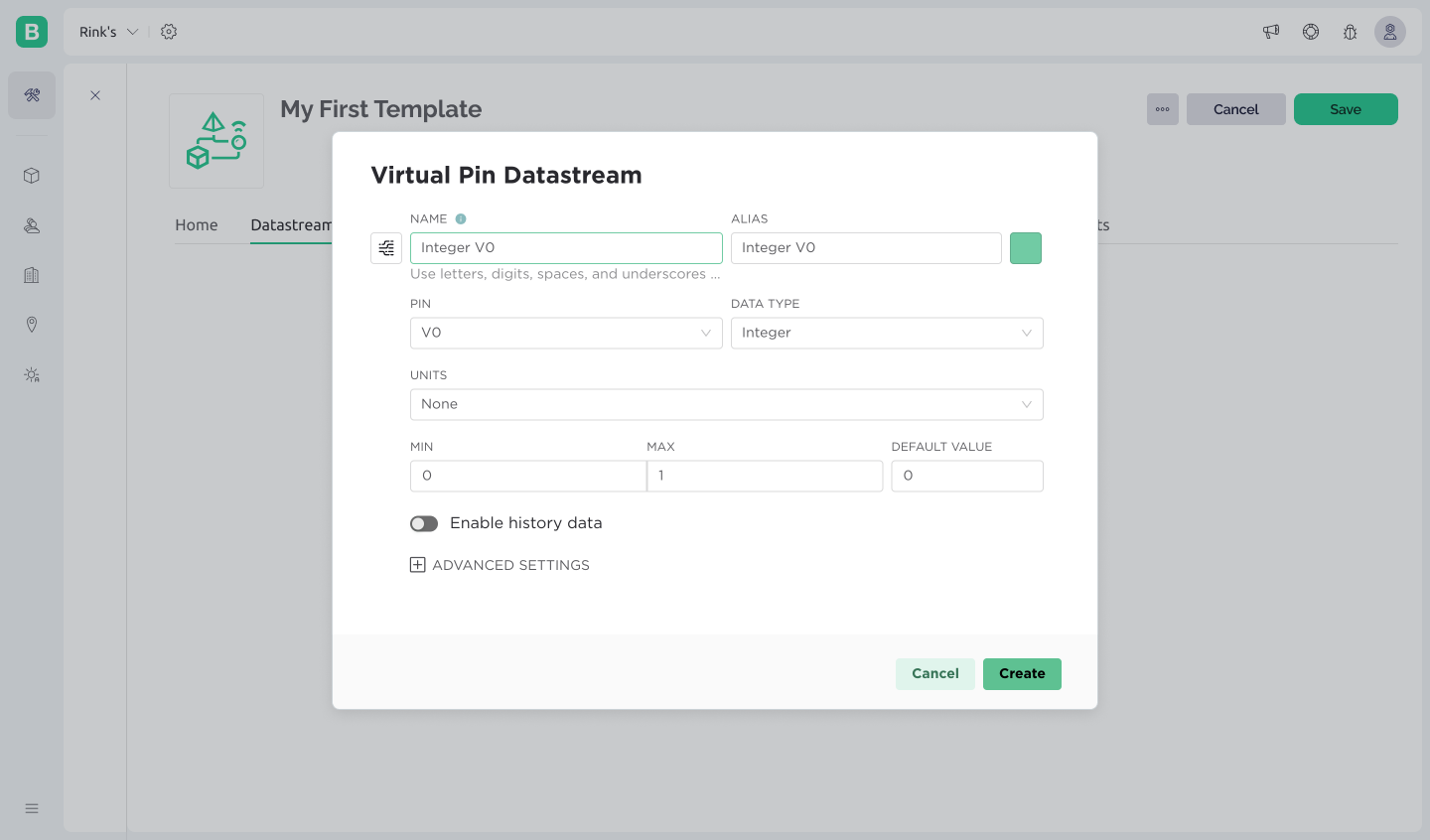
Click on **Add Datastream** button. Choose **Virtual Pin** in the dropdown menu:
Set up the Datastream like this:
* **Name:** Random Value Send
* **Virtual Pin:** V0
* **Data Type:** Integer
* **Min/Max:** 0/100
Skip all the other settings. When done, press Create and the new Datastream will be created.
These settings mean that all the devices that inherit this Template will process `integers` in the range of `0 to 100` through a `Virtual Pin V0`
## **Add a Second Datastream**
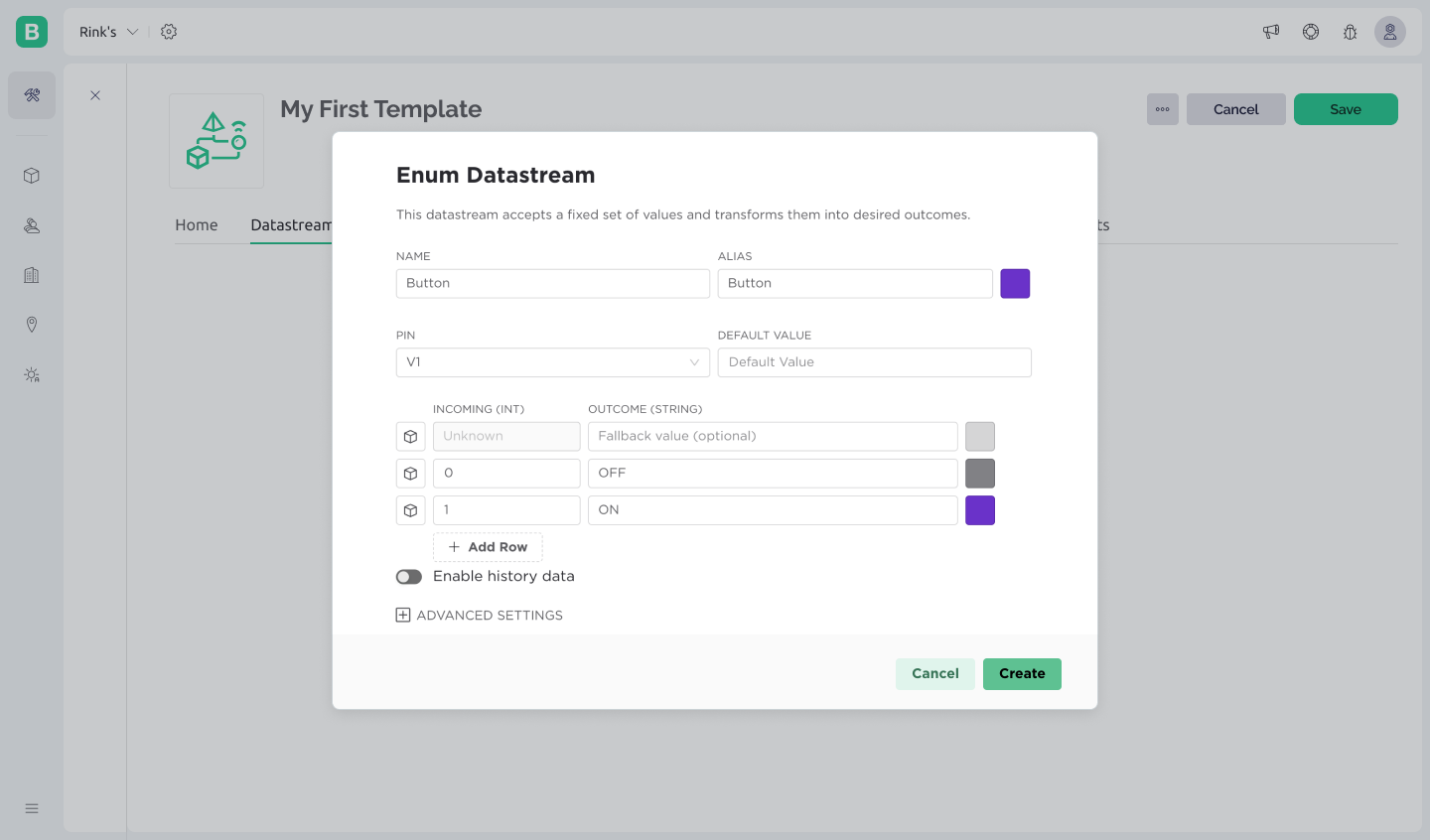
Click on **Add Datastream** button again. Choose **Enumerable** type in the dropdown menu and set up the Datastream. We will be using this Datastream to send a value from mobile and web dashboards to the device.
* **Name:** Button
* **Virtual Pin:** V1
* Add **Row1:** 0, OFF
* Add **Row2:** 1, ON
Skip all the other settings and press **Create**
These settings mean that all devices that inherit this Template will process values `integers` in the range of `0 to 1` through a `Virtual Pin V1`and Blynk will interpret `0` as `OFF` and `1` as `ON` strings.